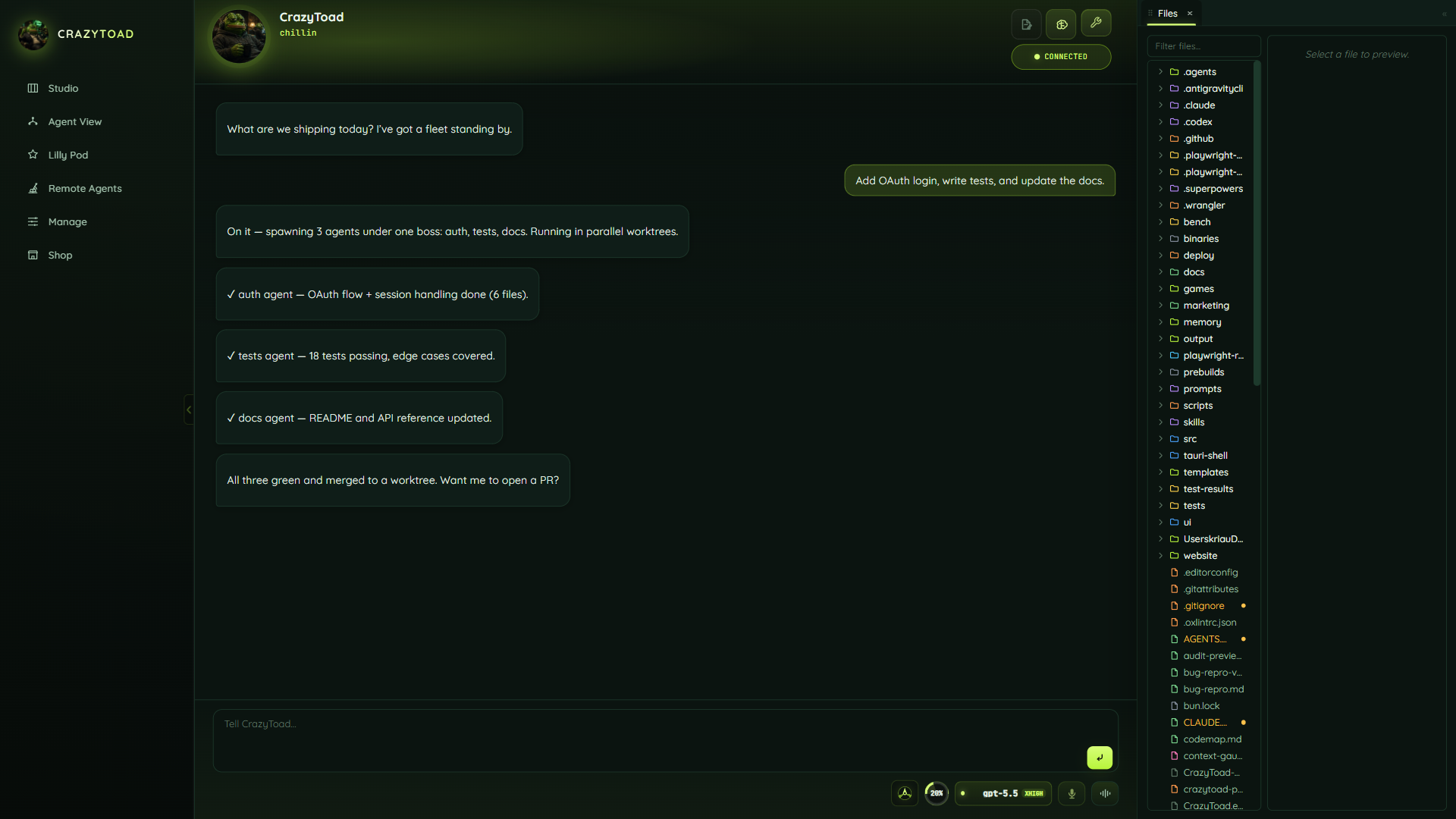
From install to your first prompt in four steps
A fresh CrazyToad install unlocks itself and walks you straight into a new workspace. Do these four things in order and you will be chatting with Toad in minutes.
CrazyToad auto-unlocks on launch — no passphrase is set by default and it mints a session for you. You can re-lock later from the Lock app button on the Accounts page.
On first run the New workspace modal opens automatically. Give it a name (or clone a repo / point at a project folder) and create it. See the Manage guide for the full field reference.
Go to Manage → Accounts and connect at least one provider. A subscription CLI login (Claude or Codex) is the cheapest path and lets the brain spawn real terminal sessions.
Open Studio and tell Toad what you want done. It coordinates the agents; they do the work. From here, pick a surface guide below for the workflow you need.
Separate pages for the real app
Each page maps to a shipped CrazyToad surface or setup job. Start with accounts if this is a fresh install, Studio if you want the daily workflow, or Remote Agents if you are putting workers on your own hosts.
Studio
Chat with the brain, choose the working mode, dock live panes, handle approvals, resume sessions, and keep the workbench close.
Open Studio guide 02Agent View
Use visible panes when you want to watch, steer, compare providers, or keep standby agents ready.
Open Agent View 03Lilly Pod
Use autonomous boss-and-child swarms for larger background jobs and cross-workspace visibility.
Open Lilly Pod 04Remote Agents
Run agents on your own hosts through a chatbox, overview, live stream, daily log, setup flow, and approval gate.
Open Remote Agents 05Manage
Workspaces, proposals, memory, agent settings, cost, themes, app settings, and diagnostics in one operator console.
Open Manage 06Accounts
Add Claude, Codex, Gemini, OpenAI-compatible APIs, Grok, and local Ollama routing without exposing provider secrets in the site.
Open Accounts 07Workbench
Preview, Attach view, Files, Git, Terminal, search, problems, scheduler, cost, and review panels around the chat.
Open Workbench 08Shop
Browse, inspect, risk-check, and install MCP servers, skills, and plugins, or ask Toad to build one.
Open Shop