Open a pane and drive it
CrazyToad normally routes delegated work to background agents. Agent View is the deliberate exception: reach for it when you want to watch the output live. Follow these steps to spawn a pane, assign its provider and model, and steer the run.
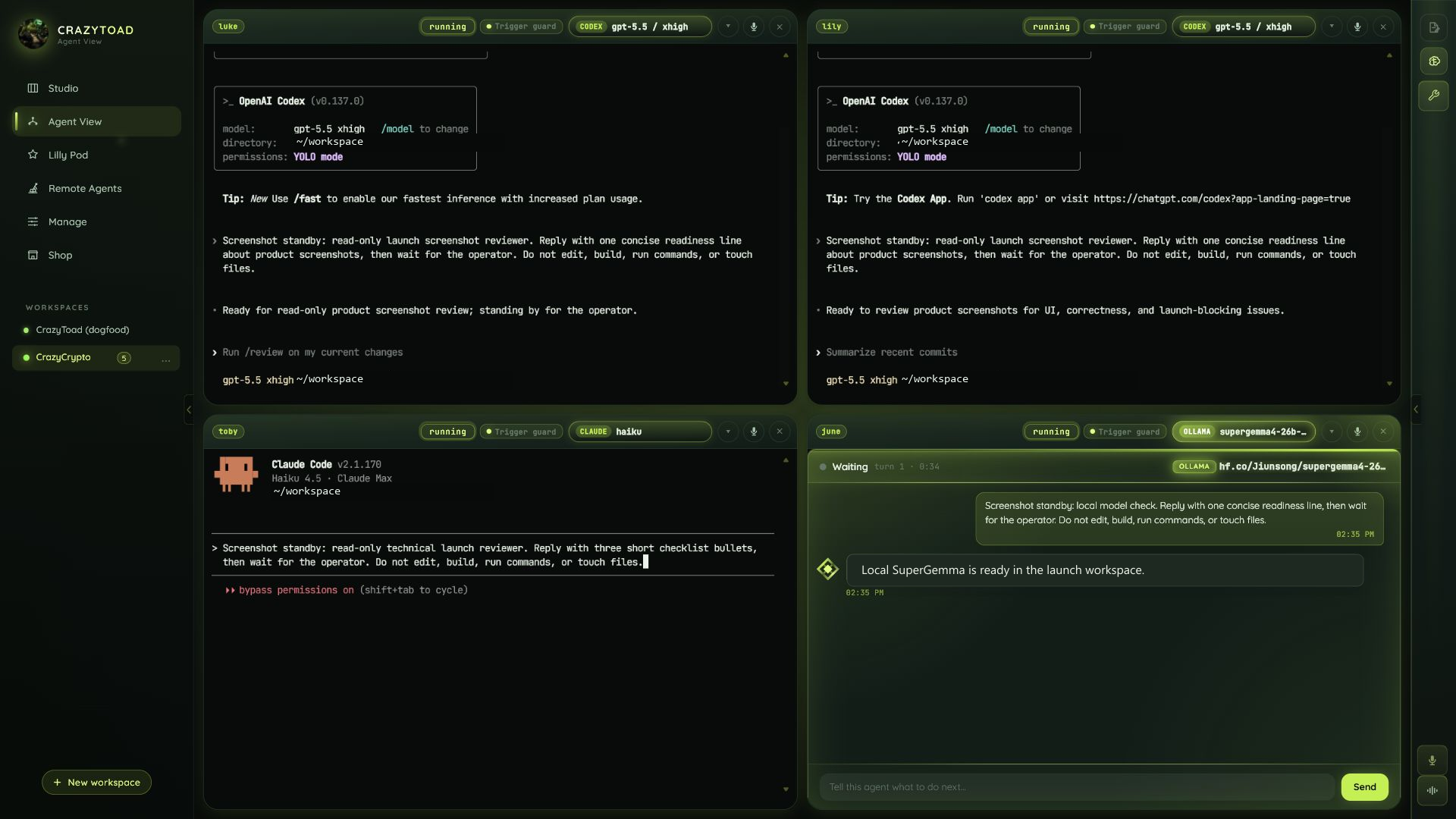
Ask Toad with watch-and-drive language like spawn here, give me a pane, or let me drive. That intent tells CrazyToad to put a visible, interactive pane in Agent View instead of sending the work to the background.
Each pane runs one CLI session against one model. Pick the provider per pane — Claude, Codex, Gemini, Grok or API, and local models are all available once their accounts are configured.
Open one pane per provider and send the identical prompt to each. Because every pane shows its live session, you can compare how Claude, Codex, Gemini, and a local model approach the same task side by side.
Leave a pane idle as a standby agent for quick manual jobs — a one-off command, a fast lookup, or a sanity check — without spinning up a whole background task.
Because the agent is visible, you stay in control: nudge it mid-run, inspect what it is doing, or stop the work before it goes further. Review the result right in the pane.
Four ways to use a pane
Agent View suits any task where watching beats walking away. Reach for these patterns.